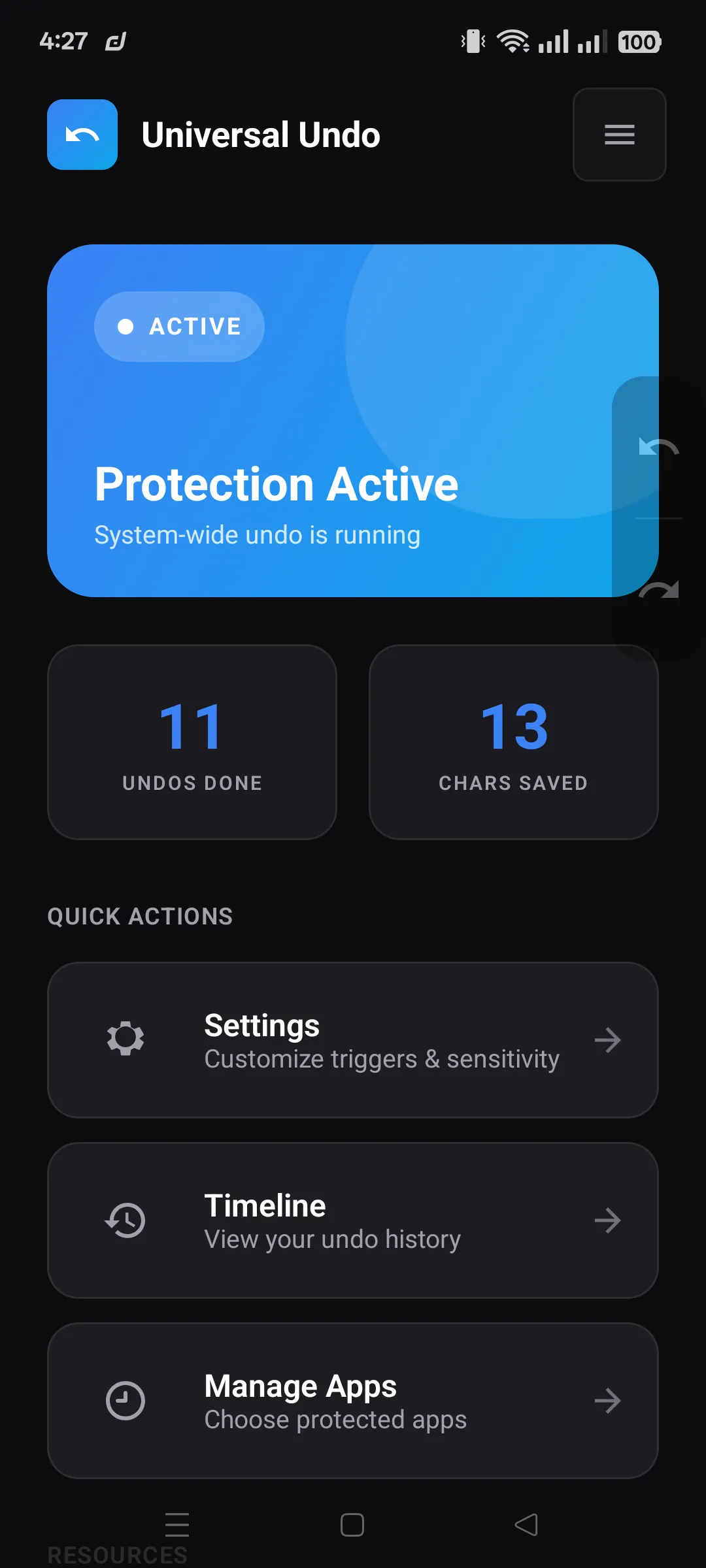
Main Dashboard
Live service status, blacklist entry point, and quick confidence checks at a glance.
Lost a WhatsApp reply, Gmail draft, note, or form? Before you retype everything, install Universal Undo and give your Android phone a real undo button for lost typing.
No root • Works across apps • Free download
See how it works
Chat draft
Lost replies
Undo deleted WhatsApp-style messages before you rewrite them.
Drafts and notes
Get back Gmail drafts, note edits, and long paragraphs.
Wiped forms
Recover form text after a bad tap, refresh, or reset.
Built for the moments that make people swear at their phone: chats | notes | Gmail | forms | overwritten edits
One wrong tap can erase a long reply, email draft, note, or form. Android usually gives you no obvious way back, so most people just start over angry.
Universal Undo is for that exact moment: a simple recovery button for the words you were typing before the app, keyboard, or refresh wiped them.
Turn it on, type normally, and use Universal Undo when Android makes your words disappear.
Download from Google Play, open the app, and finish the quick Android setup steps.
Keep using your usual chat, notes, email, and form apps while Universal Undo stores recent text states on-device.
Use shake, gestures, floating controls, or Timeline restore to bring back recent drafts and typing states.
Chats, notes, Gmail drafts, browser forms, and the long paragraphs nobody wants to type twice.
Bring back deleted replies and message drafts before you abandon the conversation.
Recover lost writing in notes, email drafts, and longer text fields without switching keyboards.
Reverse accidental deletes and step back through recent changes while you are still in the app.
Open older text states when a quick undo is not enough and you need to find the right draft again.
Use floating controls, gestures, or shake based on what feels fastest during real typing sessions.
Blacklist apps you do not want tracked and keep sensitive fields out of the recovery flow.
Android requires Accessibility access for cross-app text recovery. Universal Undo uses it for typing changes, undo, redo, and Timeline restore.
Universal Undo keeps recent typing history on your phone so drafts can come back without a cloud account. You can exclude apps, password fields are filtered, and recovery still works without uploading your text.
Universal Undo listens for text-change events so recovery works when mistakes happen.
Real screenshots from a real device.
Live service status, blacklist entry point, and quick confidence checks at a glance.

Simple onboarding explanation of enabling service and restoring text with shake undo.

Exclude sensitive apps whenever you want so Universal Undo ignores selected packages.

Restore prior text states quickly with grouped session history and timestamps.

Version info, privacy commitments, and support links are all available in one place.
Start with the triage tool if you are unsure, or jump straight to the tested guide for deleted text, draft loss, Gmail, WhatsApp-style replies, and cleared Chrome forms.
Not sure what you lost? Use the five-step triage tool to route yourself to the closest tested recovery guide.
Deleted text on Android? Start here to recover messages, notes, emails, and other drafts before you retype them.
Looking for undo on Android? Learn the fastest ways to reverse accidental typing and bring recent text back.
Compare keyboard undo with local text history so you know which recovery path fits your Android text loss.
Use this exact path when the words you just typed disappeared before sending, saving, or copying.
For long unsent replies that vanish after a wrong tap, thread switch, or app state change.
Start here when a mobile form reload, reset, or validation step wipes what you typed.
Cleared a long form by accident? Here is how to restore what you typed and avoid losing it again.
Get back a deleted note or unsent message before you rewrite the whole thing from memory.
Want the app instead? Read the privacy policy or start with the text recovery triage tool.
If the app you were using has no built-in undo, recovery depends on whether a draft or local text history still exists. Universal Undo keeps recent on-device text states so you can restore supported drafts faster.
Yes. It is designed for the text you are actively typing in common Android workflows like chats, notes, email drafts, and longer forms.
That is a fair shorthand. Android does not offer a reliable cross-app Ctrl+Z button, so Universal Undo adds a private undo and restore layer for supported text fields.
Android requires Accessibility events for a system-wide text recovery workflow. That is how Universal Undo detects text changes across supported apps.
No. Universal Undo does not upload your typed text or undo history. Internet access is used only for limited analytics and attribution, so text recovery still stays on your phone.
No. It helps with text you were typing locally. It does not bring back messages or media that were deleted on a server after sending.
Install Universal Undo from Google Play before the next deleted reply, lost draft, or wiped form forces you to type everything again.